Better Compatibility Mode
About
Better Compatibility mode allows using all third-party modules without the need to create custom integration modules. Or, at least, significantly reduce the amount of work needed to make third-party modules compatible with Breeze.
This mode adds requirejs-config.js file, and this means that:
- Breeze will automatically load js files by its path or alias!
- Load and apply Luma-based mixins!
- Support
depsconfiguration!
With this feature you don’t have to declare components/mixins in
breeze_default.xml file — javascript works in a same Luma way.
Better Compatibility mode still allows using
breeze_default.xmlcomponent registrations, so you could override some components if needed.
Configuration
This mode is disabled by default, but we will enable it in future Breeze versions.
You can enable it in Breeze configuration. It’s also possible to enable it programmatically for selected modules despite of global setting.
We recommend testing it in the debug mode first:
- Enable Debug mode.
- Open the page with the following query parameter:
?breeze=1&compat=1 -
Check the browser console for any information. Here is how it looks like when Better Compatibility is enabled and found the modules to activate:
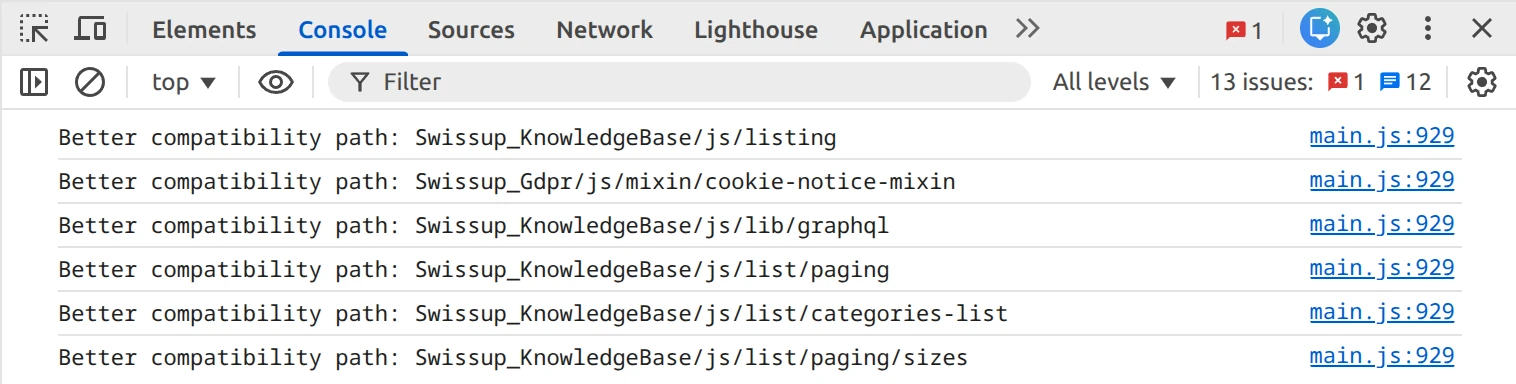
If you don’t see any messages, make sure that:
- Developer console doens’t apply filters that hide verbose messages.
- Page source contains the
requirejs-config-breeze.jsfile.
In some cases you may want to ignore certain files from Better Compatibility. To do so, add their paths displayed in the browser console (See the screenshot above) to the Excluded from Better Compatibility option.
Enabling programmatically
When making some module Breeze-compatible, you may want to enable better compatibility mode for this module only, regardless of the global setting.
To do this, follow our Integration Example guide.